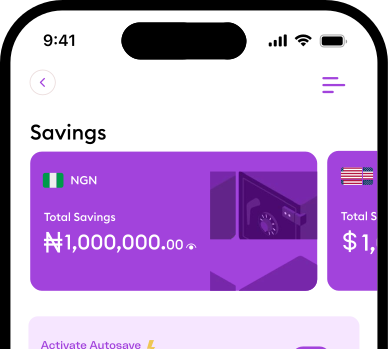
Smarter spendingstarts with you
Transform the way you spend with intelligent
features that simplify budgeting, enhance
clarity, and give total control.

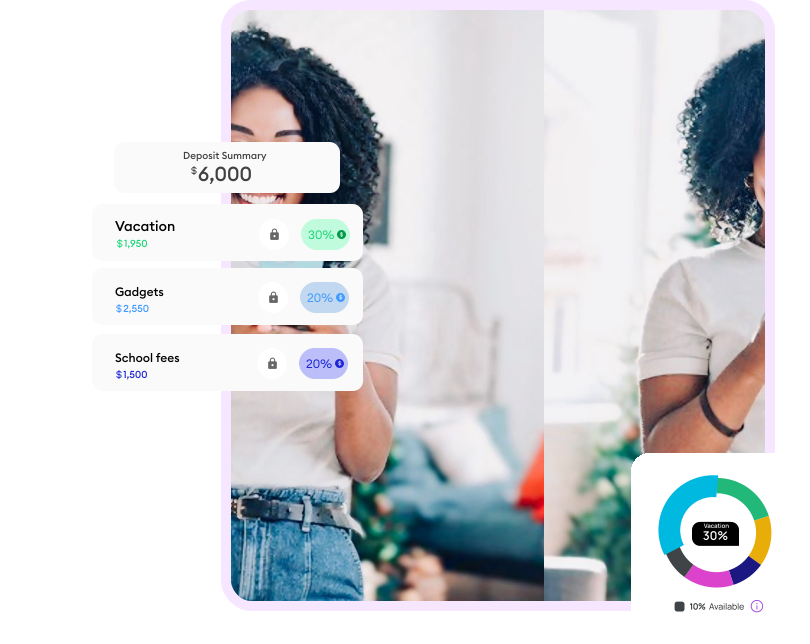
Using Budget is effortless
Enjoy an easier, smarter Budgeting experience
Create Your Virtual Account
Create a myStash virtual account to receive your funds into.
Your virtual account is personalized for you and your business
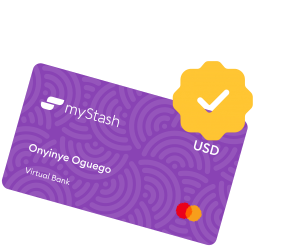
Create Your Virtual Account
Create a myStash virtual account to receive your funds into.
Your virtual account is personalized for you and your business
Create Pockets
Create pockets for your spendings and assign a percentage to them.
This is the percentage of the total money entering a particular
myStash Virtual Account
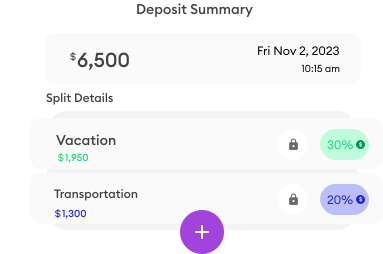
Create Pockets
Create pockets for your spendings and assign a
percentage to them. This is the percentage of the total
money entering a particular myStash Virtual Account
Add Settlement Account
Funds that are not budgeted are conveniently settled
into your settlement account or myStash wallet
ready for future use.
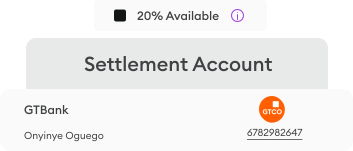
Add Settlement Account
Funds that are not budgeted are conveniently settled
into your settlement account or myStash wallet
ready for future use.
Deposit Fund
Allocate your budget to Pockets. Once you've set your
budget percentages, move funds into your myStash
Virtual accounts, to have them divided into the
appropriate pockets
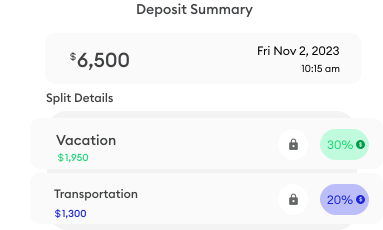
Deposit Fund
Allocate your budget to Pockets. Once you've set your
budget percentages, move funds into your myStash
Virtual accounts, to have them divided into the
appropriate pockets
Spend from Pocket
Spend from your designated pocket. For example,
pay for your transport from your "Transportation"
pocket.
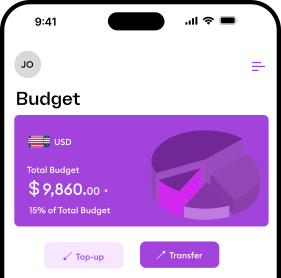
Spend from Pocket
Spend from your designated pocket. For example,
pay for your transport from your "Transportation"
pocket.
Budget Feature you will love
Build better budgets daily and spend smarter everytime, with insights that keep you in control of your money.

Active Budgeting
Automatically manage your monthly budgets without worrying or overspending. Tailor every budget plan to your unique needs.

Virtual Bank Accounts
With myStash, you can manage your virtual accounts, make payments, and track your finances seamlessly from anywhere- all with secure, real time access too your money.

Secure & Confidential
Your account information is protected with advanced encryption and trusted systems- giving you total peace of mind.
Active Budgeting
Automatically manage your monthly budgets without worrying or overspending. Tailor every budget plan to your unique needs.
Virtual Bank Accounts
With myStash, you can manage your virtual accounts, make payments, and track your finances seamlessly from anywhere- all with secure, real time access too your money.
Secure & Confidential
Your account information is protected with advanced encryption and trusted systems- giving you total peace of mind.
Active Budgeting
Automatically manage your monthly budgets without worrying or overspending. Tailor every budget plan to your unique needs.
Virtual Bank Accounts
With myStash, you can manage your virtual accounts, make payments, and track your finances seamlessly from anywhere- all with secure, real time access too your money.
Secure & Confidential
Your account information is protected with advanced encryption and trusted systems- giving you total peace of mind.
Active Budgeting
Automatically manage your monthly budgets without worrying or overspending. Tailor every budget plan to your unique needs.
Virtual Bank Accounts
With myStash, you can manage your virtual accounts, make payments, and track your finances seamlessly from anywhere- all with secure, real time access too your money.
Secure & Confidential
Your account information is protected with advanced encryption and trusted systems- giving you total peace of mind.

Create better budgets everyday,
so you can plan smarter and
spend wisely
 Download App
Frequently Asked Questions
A Pocket is a dedicated section within your myStash account where you can allocate specific amounts of money for different spending categories like transportation, groceries, entertainment, etc.
A Settlement Account is where unallocated funds from your Virtual Bank Account (VBA) are automatically transferred. It's like a default holding account for money that hasn't been assigned to specific pockets.
No, a Naira account cannot be used as a settlement account for a Dollar Virtual Bank Account (VBA). Settlement accounts must be in the same currency as the VBA to ensure proper currency conversion and transaction processing.
No, Naira cannot be directly added to a Dollar Pocket. Each pocket is currency-specific. You would need to convert Naira to Dollars first, then add the Dollars to your Dollar Pocket.
No, each Pocket can only be connected to one Virtual Bank Account (VBA). This ensures clear fund tracking and prevents confusion in budget allocation across multiple accounts.


Have an enquiry or want to learn more
about our services?
Let's chat; kindly fill out the form and we will respond in less than 72 hours.